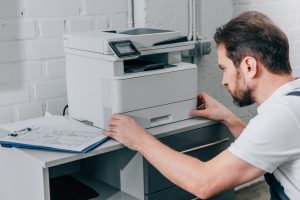

Commercial Xerox printer cost planning in Washington works best when a business looks past the sticker price and budgets for every cost the machine will create over its life. After all, nothing ruins an administrative budget faster than a surprise service invoice or a rush toner order in the middle of a busy quarter.
The machine itself is often the smallest part of the bill. In fact, Xerox’s own online store lists many office models for under $1,000, while toner, service, and contract fees can quietly add far more over a three- to five-year term.
This guide explains how to budget for a commercial Xerox printer without hidden fees, one step at a time. As a result, small business owners, office managers, and financial controllers can build a surprise-proof print budget from day one.
Where the Surprise Fees Hide in a Printer Contract
Most budget overruns do not come from the monthly payment itself. Instead, they come from small line items buried in the contract that only show up after the first few invoices.
The table below lists the four most common culprits. Each one is easy to miss during a sales pitch, yet each one can push a quarterly budget off track.
| Fee Type | How It Shows Up on the Bill | How to Prevent It |
| Overage Charges | A spike in monthly prints pushes the account past its base page allowance, triggering higher per-page rates | Set the allowance from real usage data and get the exact overage rate in writing |
| Uncapped Service & Parts Fees | Labor, travel charges, or non-covered parts are billed separately, especially on out-of-warranty machines | Choose an all-inclusive service plan with a clear list of covered parts |
| Auto-Renewal & Delivery Surcharges | Freight costs for routine toner shipments, end-of-lease processing fees, or contracts that renew automatically | Ask for free supply shipping and a written renewal notice period |
| Network & Driver Setup Upcharges | Billable IT hours for installation, software integration, or security configuration | Get setup costs quoted upfront as a flat fee |
Together, these items make up the bulk of unexpected copier lease maintenance agreement fees. Fortunately, every one of them can be spotted and negotiated before a contract is signed.
Build the Printer Budget Around Actual Usage
A business should first determine how many pages it produces each month, rather than selecting equipment based only on advertised speed. Xerox models illustrate why this matters: products can be designed around monthly usage levels ranging from a few thousand pages to tens of thousands.
For example, a small office printing 2,500 pages monthly has different requirements from a department producing 20,000 or 30,000 pages. Commercial Xerox printer cost planning should match the printer’s expected workload with the business’s actual demand.
Print speed matters too, but speed should not be viewed alone. A faster printer may cost more upfront, while a machine with insufficient capacity can create delays, service problems, or premature replacement costs.
Separate Equipment Costs From Operating Costs
The purchase price is only one part of the budget. Xerox’s product range shows how prices vary with functions, speed, workgroup size, monthly usage, and whether a device prints only or also copies and scans.
Copier lease maintenance agreement fees can also change the monthly picture. A service arrangement may cover some combination of maintenance, repairs, toner, technical support, or per-page charges, so the contract should be examined line by line rather than judged by its monthly payment alone.
A useful monthly budget can be organized like this:
| Cost Category | Budget Question |
| Equipment | What is the purchase or lease payment? |
| Toner | How much will expected pages consume? |
| Service | What maintenance is included? |
| Repairs | Which parts and labor are covered? |
| Supplies | What is excluded from the agreement? |
| IT Setup | Are installation and integration included? |
| Paper | What media will the business purchase separately? |
| Contingency | What happens during seasonal volume spikes? |
Choose Features That Solve Real Business Problems
A commercial printer can include much more than basic printing. Xerox describes business equipment with scanning, copying, faxing, email, mobile connectivity, cloud access, security features, automatic duplexing, and other workflow capabilities.
How to budget for a commercial Xerox printer without hidden fees also means deciding which features have measurable value. A business may justify higher capacity, faster output, finishing, or advanced scanning when those capabilities reduce manual work or support a demanding workflow.
However, paying for unused capabilities can inflate the budget without producing a corresponding benefit. The better approach is to connect every major feature to a real requirement, such as document volume, user count, paper size, security, or finishing.
Turning Printing Into a Stable Line Item
Proactive budgeting turns unpredictable printing expenses into a stable, managed line item. With careful commercial Xerox printer cost planning in Washington, a business knows its monthly cost before signing and stays protected from surprise invoices.
The process is simple: audit volume, choose the right payment model, lock in an SLA, and review copier lease maintenance agreement fees line by line. That is how to budget for a commercial Xerox printer without hidden fees, quarter after quarter.
To make commercial Xerox printer cost planning in Washington even easier, the team offers a free print budget planning checklist and a lease agreement review. Call Clear Choice Technical Services of Washington at (360) 234-3280 to get the best quote or request a free demo trial.